HyperNodes
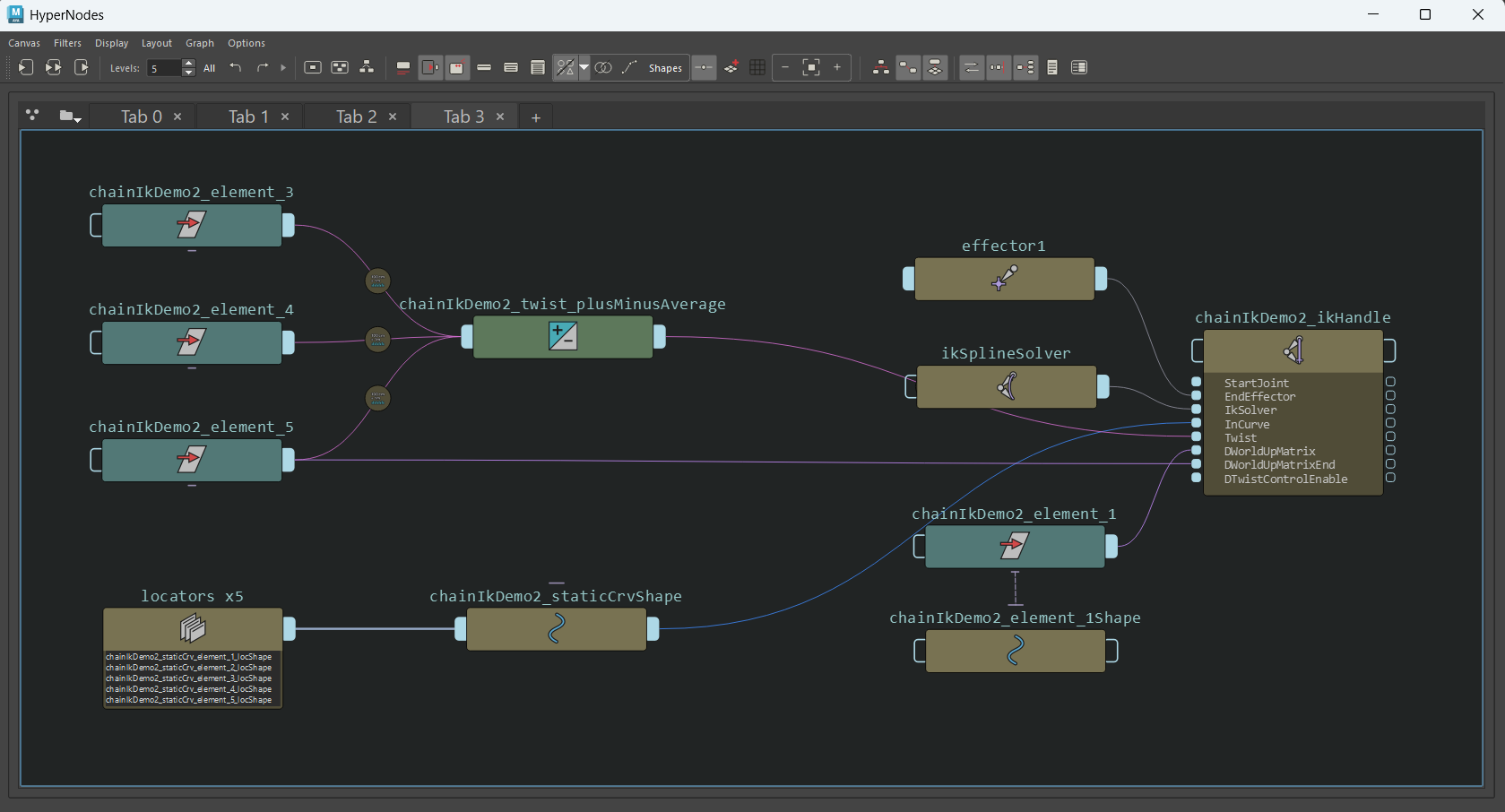
A node editor for Autodesk Maya. Expand a skinCluster and see one line instead of a hundred joints stacked in a column. Connect translate, rotate and scale to another transform in a single mouse move. A graph of hundreds of nodes reads at a glance, and nodes stay where you put them.
What it does
- Lays out the graph along the data flow. A node's inputs and outputs appear with one gesture: left to right, in port order, with branches that don't overlap.
- Collapses crowds of connections. Dozens of nodes on one attribute — skin joints, constraint targets — become a single block with a list inside and one line.
- Makes connections in one move. For each node type you decide what gets dragged out and where a dropped connection lands, so you no longer have to hit the exact port. Link sets, moving connections to another node, connecting to several nodes at once.
- Shows values right on the nodes and updates them live: move a control in the viewport and see where in the chain the value goes wrong.
- Packs a network into one node. HyperGroups with their own inputs and outputs, nested inside each other, linked copies, and your own node library in the Tab menu.
- Leaves your rig as it is. All connections are ordinary Maya connections. The scene opens and works where HyperNodes isn't installed.
More on the features page.
Buy
≈ €40
one computer · perpetual
Buy in Telegram
Card declined?
Buy on BoostyBoosty costs a little more because of the platform fee.
The license is emailed to you manually.
- One computer. The license is tied to the computer you work on.
- Perpetual. Pay once, no subscription.
How to get HyperNodes
- Click Buy in Telegram — the HyperNodes Telegram bot opens. The bot replies in Russian; the installation guide explains every step.
- Download HyperNodes from the link the bot sends, install it and open it: a license window appears with your computer's Machine ID. If Chrome didn't keep the archive, open Downloads (Ctrl+J) and click Keep.
- Send the Machine ID to the bot and pay by bank card. Payments are processed by Robokassa.
- The bot sends you a license file. Load it with the Load License File... button, and HyperNodes is ready to use.
The payment receipt is sent to the email you enter when paying.
If the payment doesn't go through
Robokassa doesn't accept cards from some foreign banks. In that case you can buy the license on Boosty — it costs a little more because of the platform fee, and the license is issued manually:
- Buy the license on Boosty.
- Download HyperNodes from the link in the purchased post, install it and open it — the license window shows your Machine ID.
- Send the Machine ID and your Boosty nickname to hypernodes.support@gmail.com.
- The license file arrives in reply to your email within one business day.
The terms of purchase are in the offer (in Russian).
Requirements
- Autodesk Maya 2022–2027.
- Windows 10 or 11, 64-bit.
Questions
Write to hypernodes.support@gmail.com about buying, licensing or a bug. How to install and get started is in the documentation.